Overview
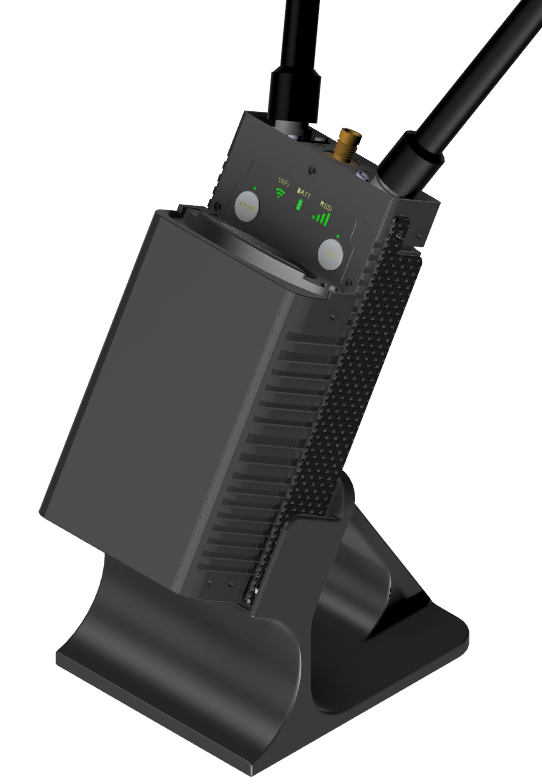
The Air Modem is installed inside the drone and facilitates communication with the ground station.
It operates on 915 MHz and 2450 MHz ISM bands and is designed for high-performance, long-range telemetry
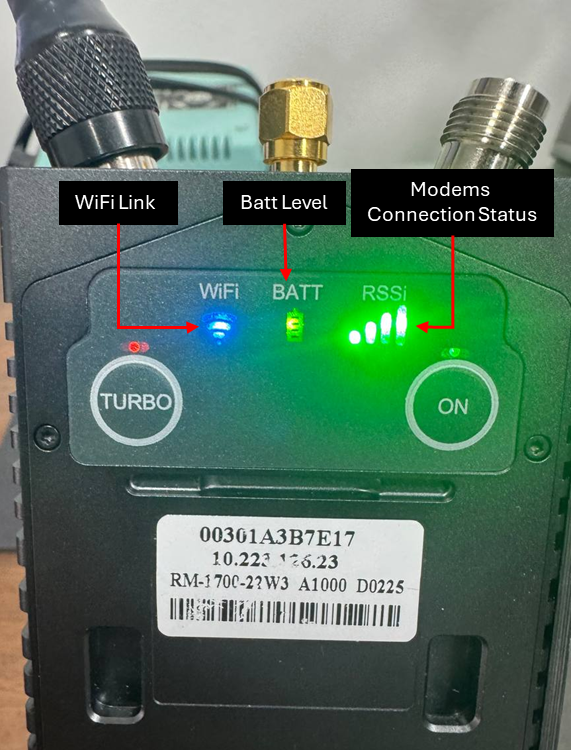
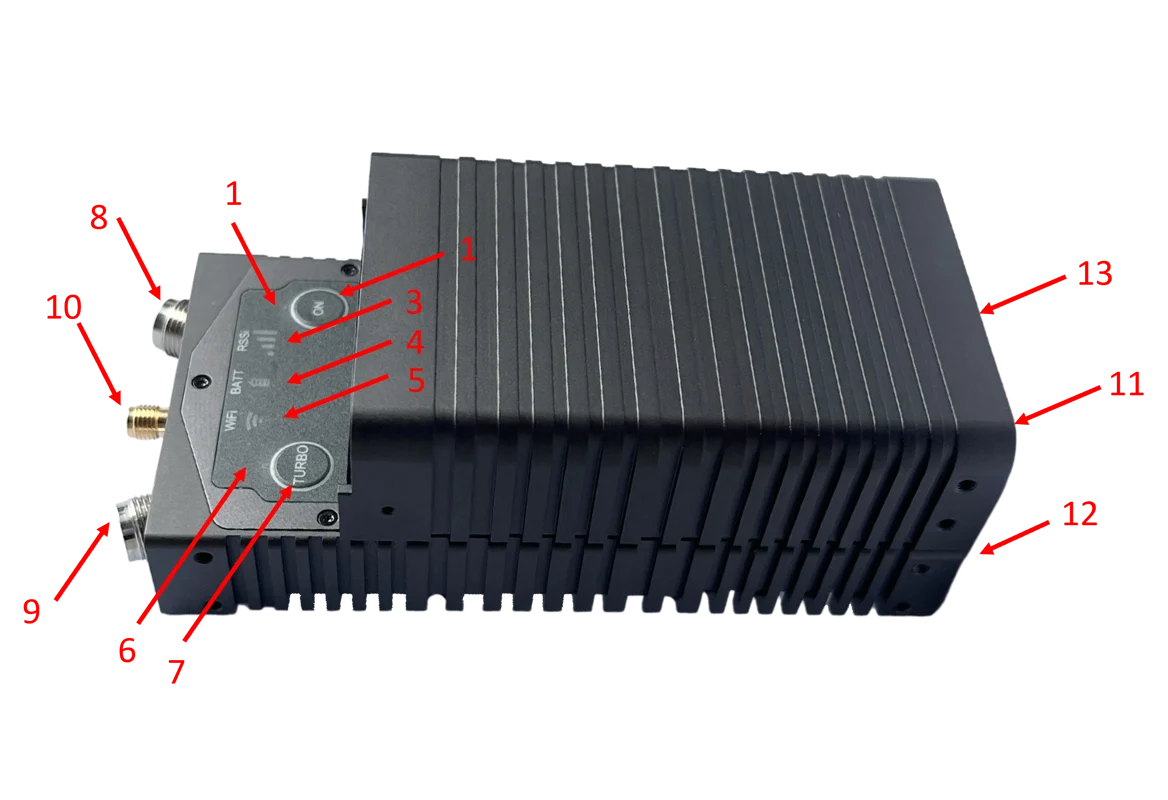
| NUMBER | DESCRIPTION |
|---|---|
| 1 | Power button |
| 2 | Power Led |
| 3 | Mesh Rider indicator |
| 4 | Battery level indicator |
| 5 | Wi-Fi indicator |
| 6 | Turbo Led |
| 7 | Turbo Buttom |
| 8 | Mesh Rider Antenna 0 (TNC-Female) |
| 9 | Mesh Rider Antenna 1 (TNC-Female) |
| 10 | GPS Antenna (SMA Female) |
| 11 | (on battery casing) USB-C charging port |
| 12 | (on radio front panel) USB-C device data and power port. |
| 13 | (on radio front panel) USB-C auxiliary port |
| BUTTON/INDICATOR | FUNCTIONS |
|---|---|
| Power Button (ON) | Switch the radio between different power states. |
| Turbo Button | Manually toggle between 1x1 and 2x2 MIMO operation for power savings. |
| Power LED | Indicate the power mode. |
| tURBO LED | Indicate whether the radio is in 1x1 or 2x2 MIMO mode. |
| Mesh Rider Indicator | Indicate the RSSI on the Mesh Rider interface. |
| Battery Indicator | Indicate the battery status. |
| Wi-Fi Indicator | Indicate the Wi-Fi signal strength. |
| Battery Power Button | Switch ON/OFF the battery. Press and hold for 5 seconds. |
Ports:
-
USB-C Charging Port: For power and data.
-
Ethernet Port: For connecting to the ground control station.
Antenna Ports:
-
Mesh Rider Antenna 0 (TNC-Female)
-
Mesh Rider Antenna 1 (TNC-Female)
-
GPS Antenna (SMA Female)